Posts Tagged ‘tutorials’

Feature: DPS article with 10 tips for shooting graphic textures

2

Digital Photography School, one of the biggest blogs about photography, has a great article with 10 tips for shooting graphic textures. This is a must read for all aspiring texture photographers, if they want to find out, how they can achieve better results.

(more…)

Tutorial round-up: creating seamless textures

2

From all the improvement suggestions that you guys made during the last contest, having more tutorials here on highresolutiontextures.com was the most popular one. Therefore, I went through my bookmarks and came up with a small selection of Photoshop tutorials, which focus on creating seamless textures. These are particularly useful, when you want to use repeating background images on websites.

Without further ado, here is the list of tutorials:

tutorial 1 at photoshoptextures.com

tutorial 2 at freeseamlesstextures.com

tutorial 3 at biorust.com

tutorial 4 at cadtutor.net

tutorial 5 at brushes.obsidiandawn.com

I hope you find these tutorials useful!

Taking your textures to the next level part 2

1

One of the readers requested there should be more tutorials on this blog, so here is a little piece of advice, how you can improve your texture photography.

The devil is in the details! Therefore, carefully check your desired motive when looking through the viewfinder or at the live screen of your camera. I learned it the hard way, when I was looking at some of the pictures I took in Dresden a while back. Have a look at the picture below.

stone column texture

This would make for a brilliant texture photo, if there would not be one little object disturbing the picture. Look at the lower left corner and you will see what I mean.

stone column texture zoom

I only noticed this plastic cup when I was already at home browsing through the shots on my computer and then of course it was too late. The only solution at that point would be some photoshopping and artificially removing the cup from the photo, but this mostly results in inferior pictures after all. The better option is to double check before taking the shot and remove the object.

I hope this tip was helpful. You might also want to look at the first post of this tutorial series.

Taking your textures to the next level

1

Here on highresolutiontextures.com, besides offering free textures packs, I try to encourage the readers to grab their camera, go out and shoot some pictures of nice textures themselves. Therefore, I would like to provide you with several tips & tricks on how you can achieve better results or simply more variation. Most of them are as easy to apply as this first one:

Add perspective

Normally, when you come across textures, the pictures have been taken straight in front of or above the subject, like the one below.

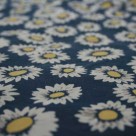
flower fabric texture

By slightly tilting the camera and moving in on the subject, you are able to take a whole new picture, which has a lot more depth. This can make for some interesting shots.

flower fabric texture with perspective

I hope that this little piece of advice was useful. There’s definitely more where that came from, but first it is your turn to try out this technique. Feel free to post your results in the comments. Both pictures from above are also available for download in high resolution (3888 x 2592 pixels).

flower fabric texture (.zip file, 7,4 MB)

What can you do with all these textures?

0

After presenting you the first 2 texture packs, I now would like to illustrate several possibilities of how to utilize high resolution textures, namely web design, print design and computer game design.

web design

If you ended up here on this website, you can already see one example of how a texture can be used e.g. as a background graphic. One of my favorite websites with regards to overall design is Electric Pulp (see screenshot below), because their use of textures shows the neat effects that you can achieve with it.

Electric Pulp

There is almost no limitation to that concept and if you would like to get some more inspiration, I suggest you head over to Design Meltdown, who showcase lots of websites according to the design elements used. Have a look at their collection of sites that are using for instance wood or clouds.

print design

Nowadays, textures are also used as a design element for magazines, books, advertisements and other printed media. There is a brilliant tutorial at PSDTUTS.COM, where Kyle Pero uses one of the paper textures of Bittbox in order to design a retro look poster.

Here is another example displaying magnificent use of a concrete texture taken from the online portfolio of designer Paul Harrison.
aeiko.net

computer game design

textures used in Far Cry 2
Picture is courtesy of Gamestar.

If you have played fairly modern computer games, chances are very high that you came across all kinds of textures, because they are heavily used for level or character design. As you can see in the above screenshot from one of the latest First-Person-Shooters Far Cry 2TM, the game designers used some stone textures for the rocks and wood textures for the rifle. There are also some amazing works of professional CG artists in the scenes gallery of 3dtotal.com.

I hope that I could give you an idea of the different areas of design, where textures are being used on a daily basis. If you like this post, you might want to subscribe to the RSS feed of this blog.